

One secure inbox for every account you sell
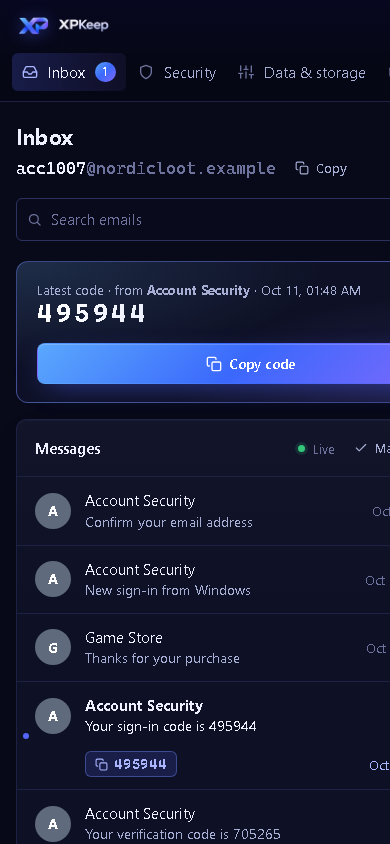
XPKeep gives each game or digital account its own email address. Verification codes show up in seconds, and when the account is sold the buyer takes over the inbox with a one-time link - you lose access, they keep it.
- Two-factor sign-in for every seller
- Buyer-owned inboxes the seller cannot read
- Remote images blocked to stop tracking
Bought an account?
The seller sent you a one-time link. Open it first to choose your own password - after that, sign in here any time. Only you can read your inbox.
Lost your password? Ask the seller with your order number, or contact XPKeep support if the seller cannot help.
Sign in to your inbox
How it works
- 1
Connect your domain
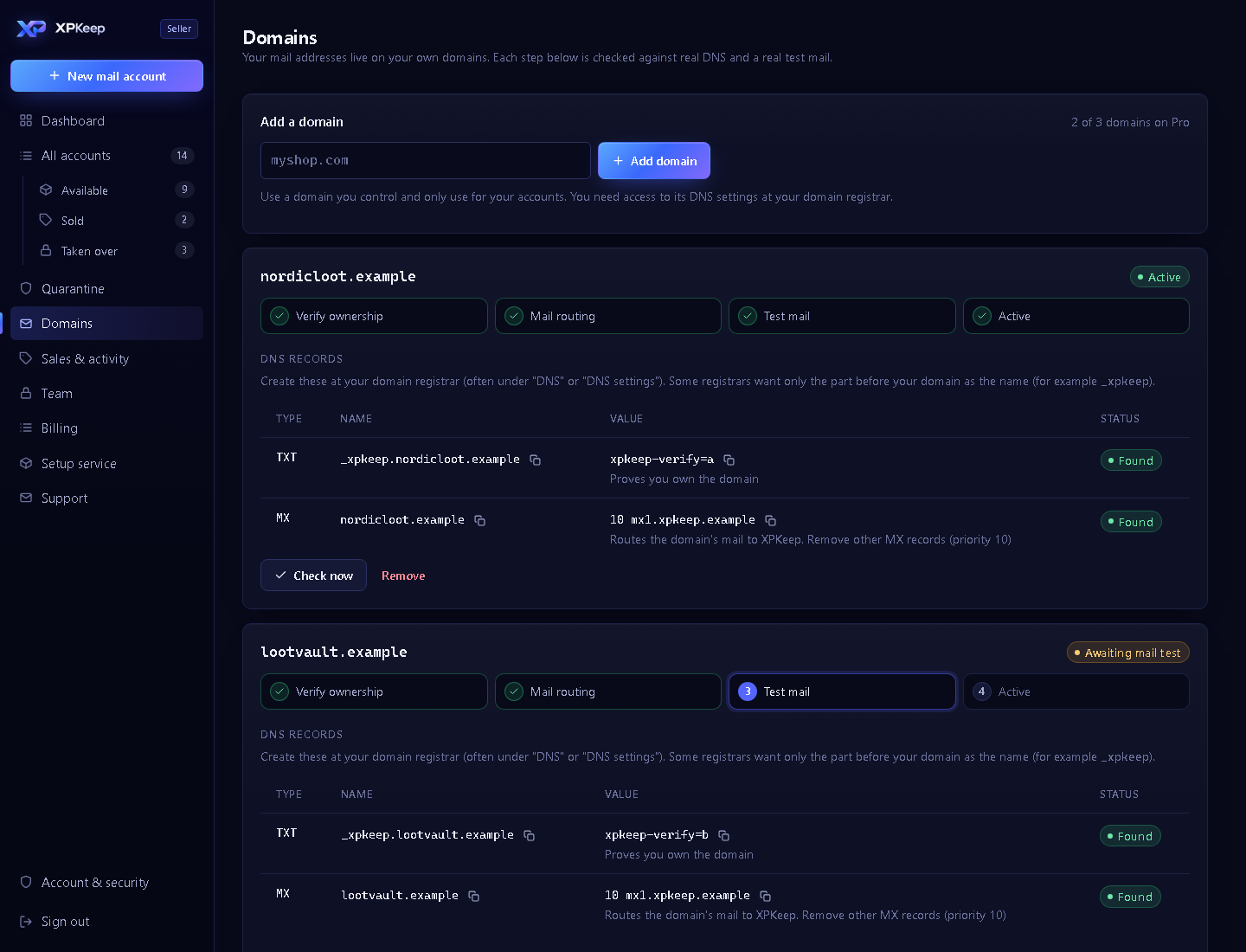
Add the DNS records we show you. We check every step and finish with a real test mail (being rolled out to beta sellers).
- 2
Create addresses
One address per account - one at a time, a hundred at once, or imported from a CSV file.
- 3
Read codes, then sell
While the account is yours, its verification codes appear in your panel with a copy button.
- 4
Hand it over
Record the sale and paste the ready-made message. The buyer sets a password; from then on only they can read the inbox.
Built for sellers
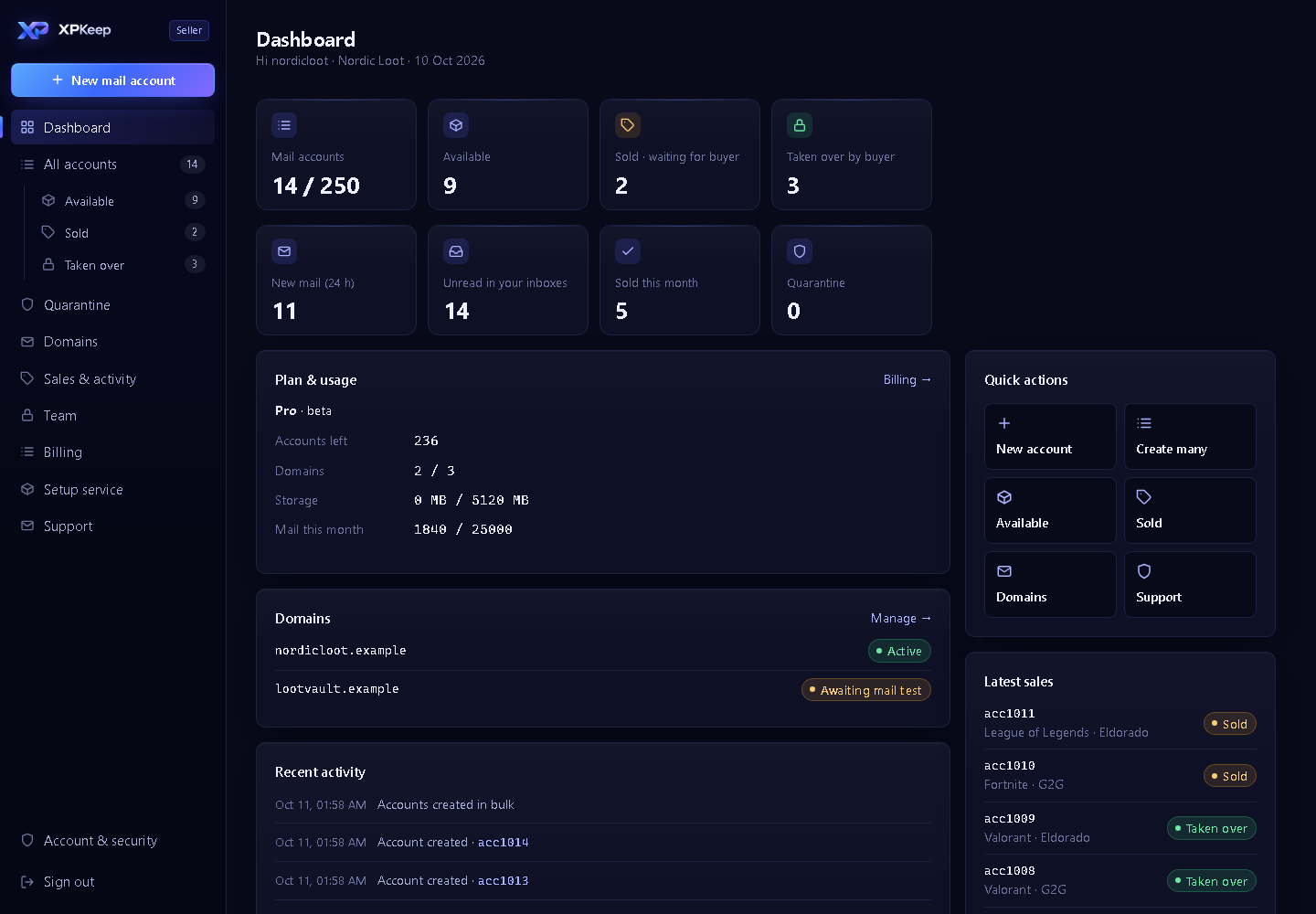
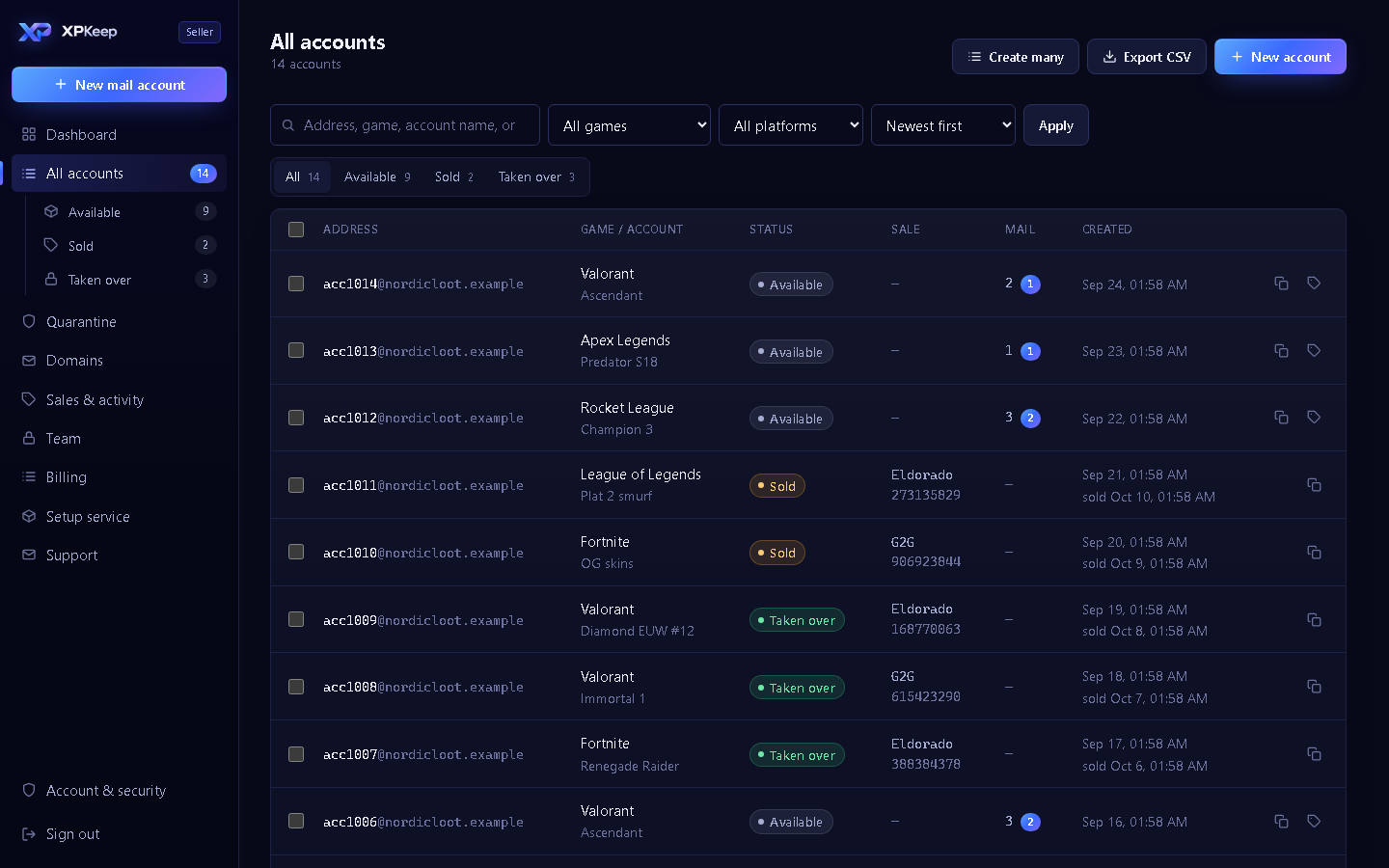
- Every inbox in one place - search, filter by game or marketplace, bulk edit, export to CSV.
- Sales workflow - marketplace, order number and date on every sale, and a sales report per month.
- Team accounts - invite staff who can sell and read codes without seeing your private notes.
- Quarantine - mail for addresses you have not created yet is kept for 7 days and delivered when you create them.
Your domain, your brand
Addresses live on a domain you own, so buyers see your shop's name - and you can move away at any time. The set-up wizard shows exactly which records to create and tells you what is wrong if a check fails.
Rolling out Mail on your own domain is being enabled for beta sellers.
Prefer not to touch DNS? Let us set it up for you.
Security you can check
Hand-over that holds
Hand-over links are single-use and stored only as a hash. Once the buyer sets a password, the seller can no longer read the inbox - and neither can we.
Isolated workspaces
Every seller's data is separated in the backend, and incoming mail is routed by the receiving server's envelope, not by headers a sender can fake.
Safe mail reading
Emails are shown in a sandbox without scripts. Images from senders are blocked until you allow them, so tracking pixels do not reveal you. Attachments are always downloaded, never opened in the browser.
Strong sign-in
Two-factor authentication is required for every seller, with one-time recovery codes. Passwords are hashed with Argon2id.
Activity you can see
Buyers see a log of everything that happened to their inbox, including any recovery the seller performed.
Your data
Buyers can export all their mail and delete it at any time, and choose how long mail is kept.
Plans
Prices are announced when public sign-up opens. During the beta, approved sellers use their plan's limits at no charge.
Starter
Price to be announced
- 50 mail accounts
- 1 domain
- 1 GB storage
- 5,000 received mails / month
- 1 team member
Pro
Price to be announced
- 250 mail accounts
- 3 domains
- 5 GB storage
- 25,000 received mails / month
- 3 team members
Business
Price to be announced
- 1,000 mail accounts
- 10 domains
- 20 GB storage
- 100,000 received mails / month
- 10 team members
Payments, invoices and VAT are handled by our reseller Paddle.com. Cancel any time - see the refund policy.
Setup service
Not comfortable with DNS? Order the setup service from your dashboard. We guide you or work through DNS-manager access you can revoke - we never ask for your registrar password - and the order is only completed when a real test mail has arrived.
Price on request.
Questions
Is selling game accounts allowed?
It depends on the game and the marketplace - many publishers forbid it. XPKeep only provides email inboxes and does not make any transfer permitted. You must follow the rules of every game, platform and marketplace you use (see our Acceptable Use Policy).
Can the seller still read my mail after I take over the inbox?
No. Once you set your own password, the seller's access ends. If the seller ever performs a recovery for you, it appears in your activity log.
What happens if the seller's account ends?
Inboxes buyers have taken over keep working as long as the domain still routes mail to XPKeep. You can always export your mail.
Do I need my own domain?
Yes, sellers connect a domain they own. A domain costs around 10 EUR a year at any registrar.
Where is my data stored?
In the EU. See the privacy policy for every provider we use.
Can XPKeep staff read mail?
No. The platform admin tools show counts and settings only - never mail content. Support works from what you send in a support request.
Ready to stop juggling inboxes?
Applications are reviewed by hand, usually within 1-2 business days.